Roaming Legendary RNG (in development)
Program Description
Fully automated button presses and calibration for performing RNG manipulation for Roaming Legendary Pokémon in FireRed and LeafGreen. This program requires some knowledge of how RNG manipulation is performed as well as external tools to select your target frame and advance.
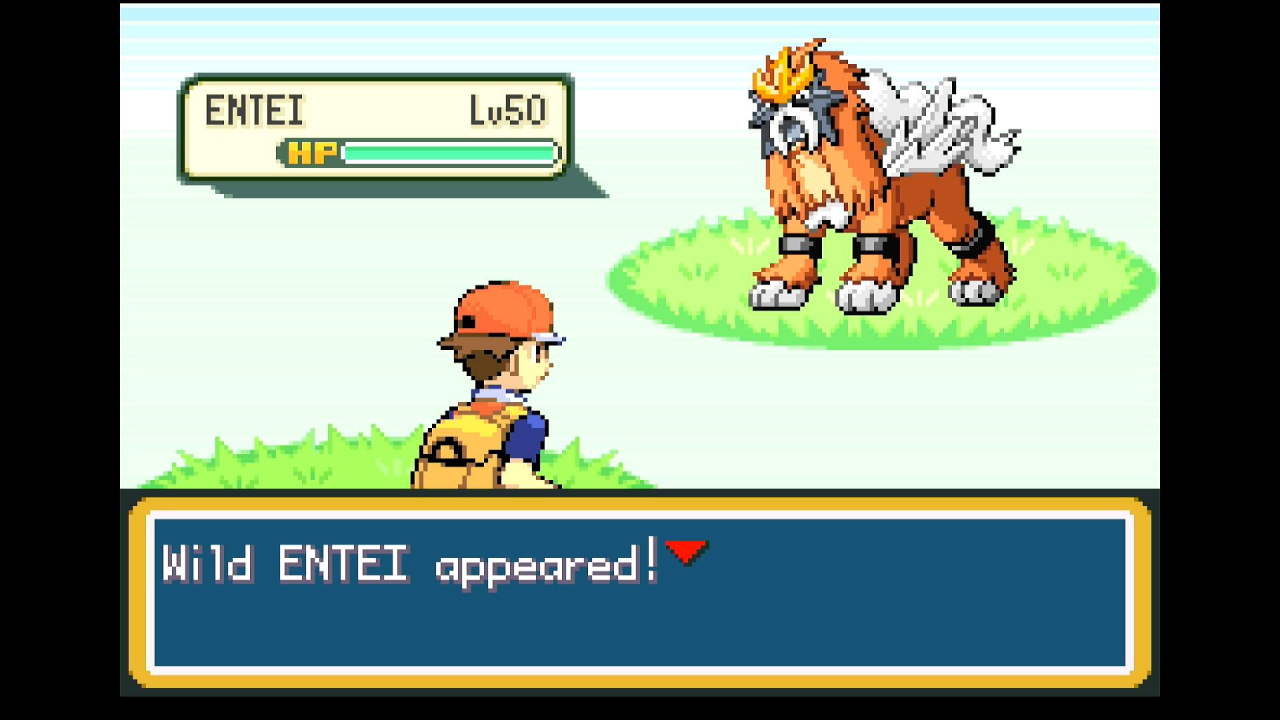

This program includes options for the three Legendary Beasts:
- Raikou (if you chose Squirtle as your starter)
- Entei (if you chose Bulbasaur as your starter)
- Suicune (if you chose Charmander as your starter)
Instructions
Switch Settings:
- Screen size: Must be 100% within the Switch settings
- System memory: If the game data for FireRed/LeafGreen is on an SD card, move it to the Switch's system memory to reduce variability of reset times.
- Single-Profile Users: If you only have one user profile, make sure you disable 'Skip Selection Screen' in System Settings -> User settings.
- Disable Auto Sleep: Make sure to disable the 'Auto-Sleep' feature in System Settings -> Sleep Mode -> Auto-Sleep
- Switch 2: All HDR options must be disabled.
- Switch 2: The profile you are using must be the 1st (left-most) profile.
Program Settings:
- Video Resolution: 1080p or higher
Game Settings:
- Text Speed: Fast
- Button Mode: HELP
- Frame: Type 1
- Mono / Stereo depending on your target Seed
Before You Start
-
If you're not familiar with RNG manipulation in FireRed and LeafGreen, read the RNG Manipulation Guide
-
Know your Secret ID and use it to determine your target Seed and Advance. See the SID Helper program for a way to obtain your Secret ID.
-
Make sure you have have any items/moves/abilities that you need to facilitate catching your target.
In-Game Instructions
Warning: DO NOT give the Sapphire to Celio before starting this program. The roaming legendary is generated after Celio finishes his Network Link Machine. If you have already saved after delivering the Sapphire, this program will not work.
- Acquire the Sapphire from the Rocket Warehouse.
- Have a Pokémon between Lv5 and Lv49 as your lead.
- Pokémon Lv4 or under will not prevent other wild Pokémon from being encountered
- Pokémon over Lv50 will prevent the Roaming Legendary Pokémon from spawning!
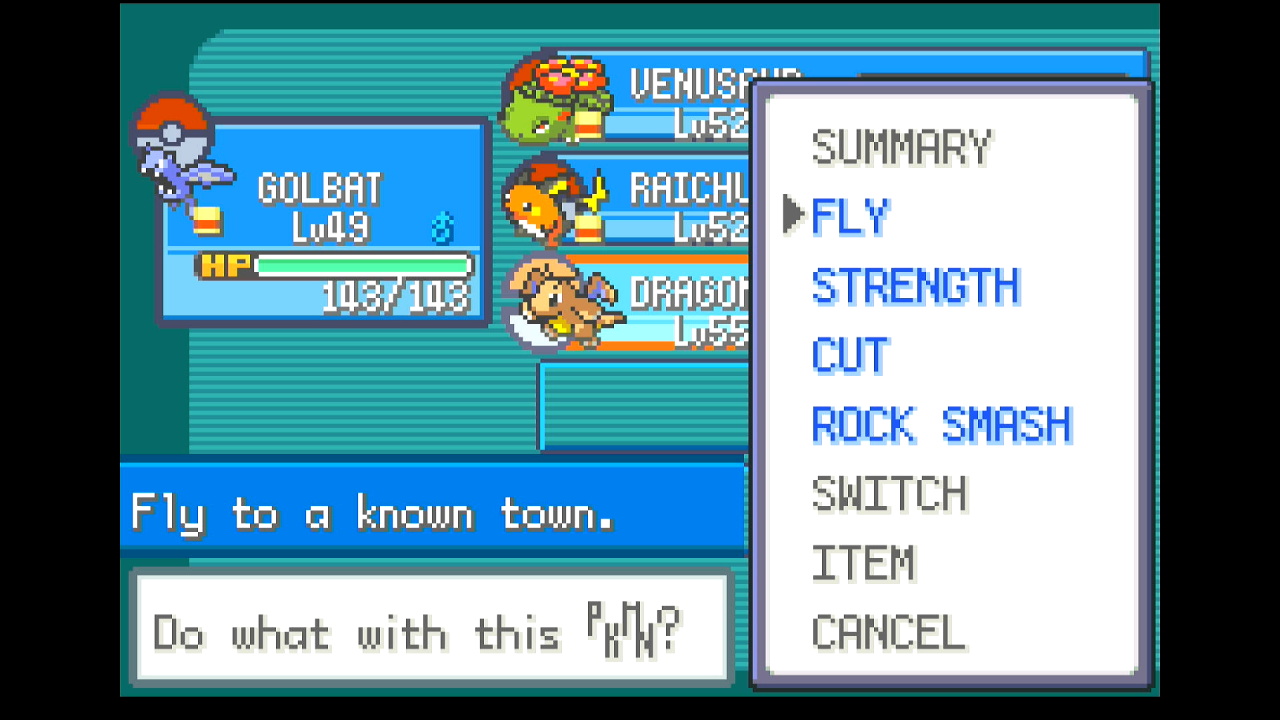
- Have a Pokémon that knows Fly in the last occupied position of your party.
- Fly needs to be the first move selectable from POKéMON screen. If this is not the case, use a different Pokémon, move Fly to its first move slot, or forget any other learned HMs via the Move Deleter in Fuchsia City.
-
Make sure you have a free spot in your party to allow the program to check the Pokémon you catch.
-
If you have any Rare Candy, move it to the top of the bag's ITEMS pocket.
-
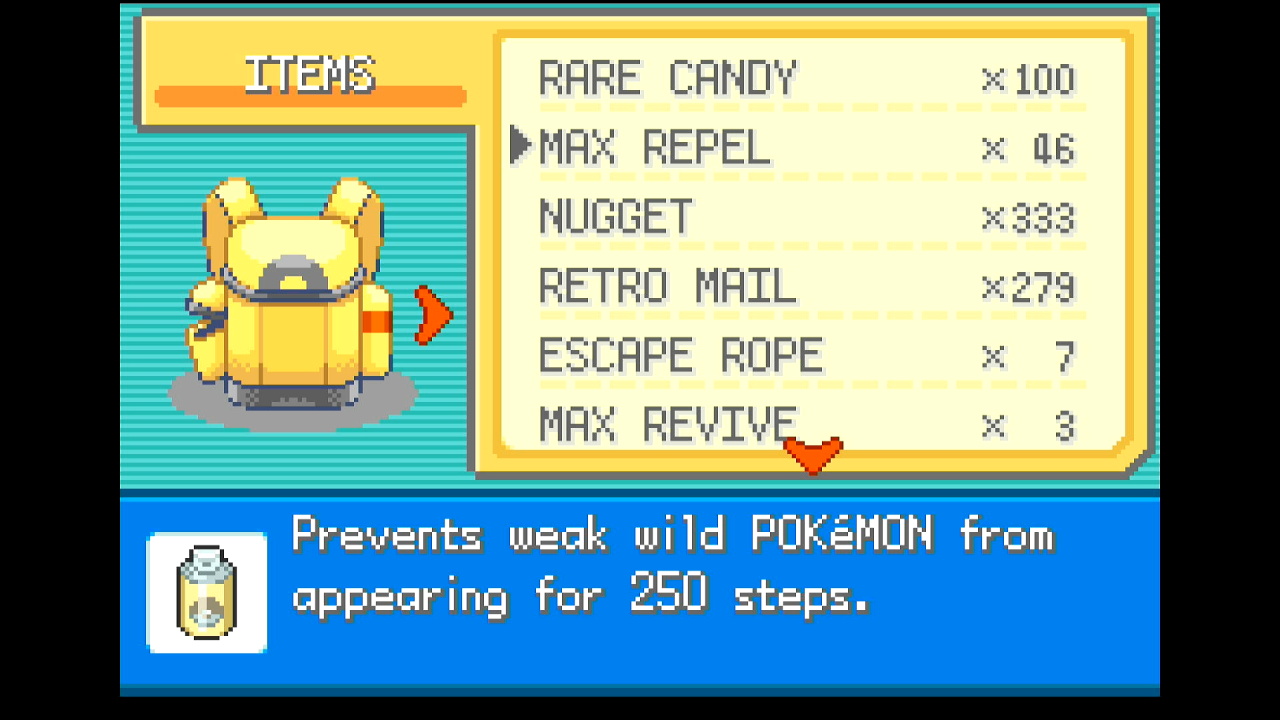
Have at least 3 Max Repel in the 2nd-from-top spot of the bag.
-
If using the Teachy TV, place it at the top of your KEY ITEMS pocket.
- Place the balls you'd like to use during the RNG calibration at the top of the bag's POKé BALLS pocket
- Using a Master Ball is strongly recommended.
- Any balls thrown during calibration will be restored when the game is reset.
- If hunting a non-shiny target, this is the ball your target will be caught in.
-
Save on the left side of Celio, facing him.
- Note how the Network Link Machine looks in the screenshot below. The light on the left side of its screen should be red, but the one on the right should be dark.
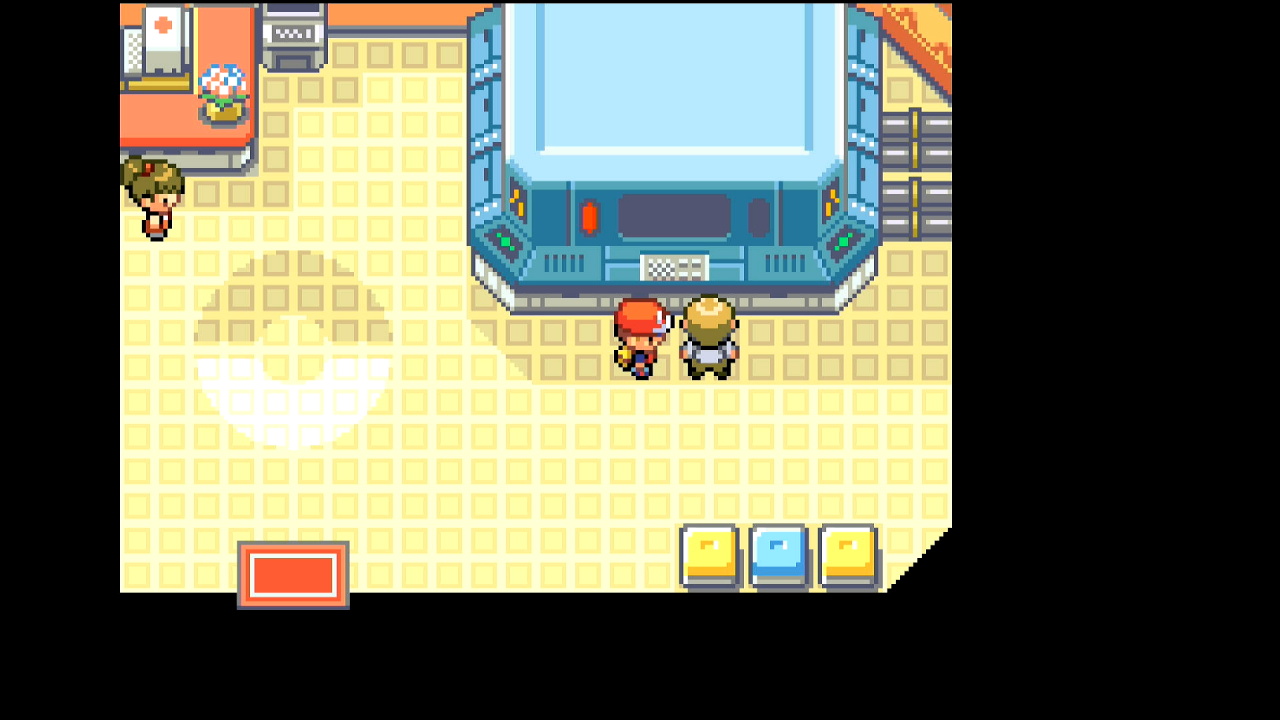
- Note how the Network Link Machine looks in the screenshot below. The light on the left side of its screen should be red, but the one on the right should be dark.
-
Enter the necessary information about your target seed and RNG advance (see options below)
- Start the program
Displays
Target Details:
This shows the gender, nature, and IVs of your target based on the Target Settings entered below. Use this to check whether or not you've entered the correct target seed and advances.
Observed Stats:
This displays natures, genders, and calculated IV ranges observed from the most recently caught Pokémon as the program runs.
Possible hits for seeds and advances are shown as well. If the program continually displays "No matches found", there may be a problem with the values for your program options (see the Options section below).
RNG Calibrations:
These will update automatically as the program runs. You can provide initial values for the Seed Calibration, Continue Screen Frames Calibration, and In-Game Advances Calibration before starting the program if you have previously performed calibrations, but it is not necessary to do so.
If you're not sure, just leave these set to 0. The program will automatically make adjustments to hit the specified target.
While calibrations for RNG advances can change depending on what you're hunting, seed calibrations should be consistent across hunts as long as your console and controller have not changed.
These values can be manually copied for use with the RNG Helper if desired.
Options
Game Information
Game Version:
FireRed or LeafGreen.
Game Language:
The language corresponding the version of the game you're playing. The Japanese version has different seeds than other languages.
Sound:
The in-game sound setting, either Mono or Stereo. This affects RNG seeds.
Target Settings
Target:
The Pokémon to be encountered (Entei, Raikou, or Suicune)
Target Seed:
The seed corresponding to your target. This should be a 4-character hex string (e.g. 70FE). Set this with the help of an external RNG tool. The program automatically searches seed lists to determine the appropriate delay and buttons to press.
Avoid low seed delays when possible Depending on your hardware, the FRLG RNG programs have a chance to fail when using seed delays close to 30,500ms. This happens when the button press on the title screen comes too early and fails to advance the game to the next screen, throwing off all subsequent parts of the button press sequence.
If using a short seed delay, pay attention as the program opens the game and advances through the title screen. If you notice a problem or the program is unable to navigate to the encounter, either choose a new target with a higher seed delay or manually increase your initial seed calibration.
Advances:
The number of RNG advances to pass before activating the roaming Legendary. Set this with the help of an external RNG tool. This should be the total number of advances, not just the continue screen frames or in-game advances.
Program Settings
Use Teachy TV:
If checked, the program will open the Teachy TV to quickly advance the RNG at 313x speed. Make sure that the Teachy TV is at the top position of the bag.
Warning: can result in larger misses.
Because of the Gen III roaming legendary IV bug, using the Teachy TV is not recommended for this program.
Nearby Seed Radius:
The number of nearby seeds on each side of the target to search when identifying which seed was hit. It's usually a good idea to leave this at the default of 5, but it can be lowered once your seed calibration has settled. Larger values can lead to slower calibration.
Max Resets:
Set this to the maximum number of resets to attempt.
Max Balls Thrown:
The number of Pokéballs in your bag to attempt to throw. Make sure these are at the top position of the bag. Balls thrown during calibration will be restored after resetting.
Max Rare Candies:
The number of rare candies in your bag. Make sure these are at the top position of your ITEMS pocket. Rare candies used during calibration will be restored after resetting. If this value is set to 0 and your target gift has a low level, the program may take noticeably longer to perform calibration. Miscalibrations may rarely occur due to the program's inability to narrow down the many possible RNG hits on every attempt.
User Profile Position:
The position, from left to right, of the Switch profile with the FRLG save you'd like to use. If this is set to 0, Switch 1 defaults to the last-used profile, while Switch 2 defaults to the first profile (position 1). Only useful if using a Switch 2 and playing on a profile other than the primary one.
Take Video:
Record a video when a shiny is found.
Go Home when Done:
Go to the Switch Home to idle when finished.
Credits
- Author: Astro (Tom)
Discord Server:
